Samsung Galaxy users often struggle with battery drain after a full day of browsing, emailing, and streaming.
Optimizing your phone’s battery not only saves electricity but also prolongs the device’s lifespan and reduces the need for costly replacements.
1. Power Saving Mode
The Power Saving app is a great starting point to enhance battery life. Accessible from the Quick Settings panel, it offers multiple adjustments like Dark Mode, limiting CPU usage, reducing screen brightness, turning off Always On display, and setting a shorter screen timeout.
While limiting CPU speed may affect performance, toggling other settings can significantly extend battery life without impacting everyday use. Dark Mode, in particular, reduces power consumption on OLED and AMOLED displays by turning off pixels displaying black.
2. Battery Protection
Samsung’s Battery Protection feature focuses on prolonging the health of your battery over time. It offers three modes: Basic, Adaptive, and Maximum, controlling when the phone stops charging to reduce battery wear.
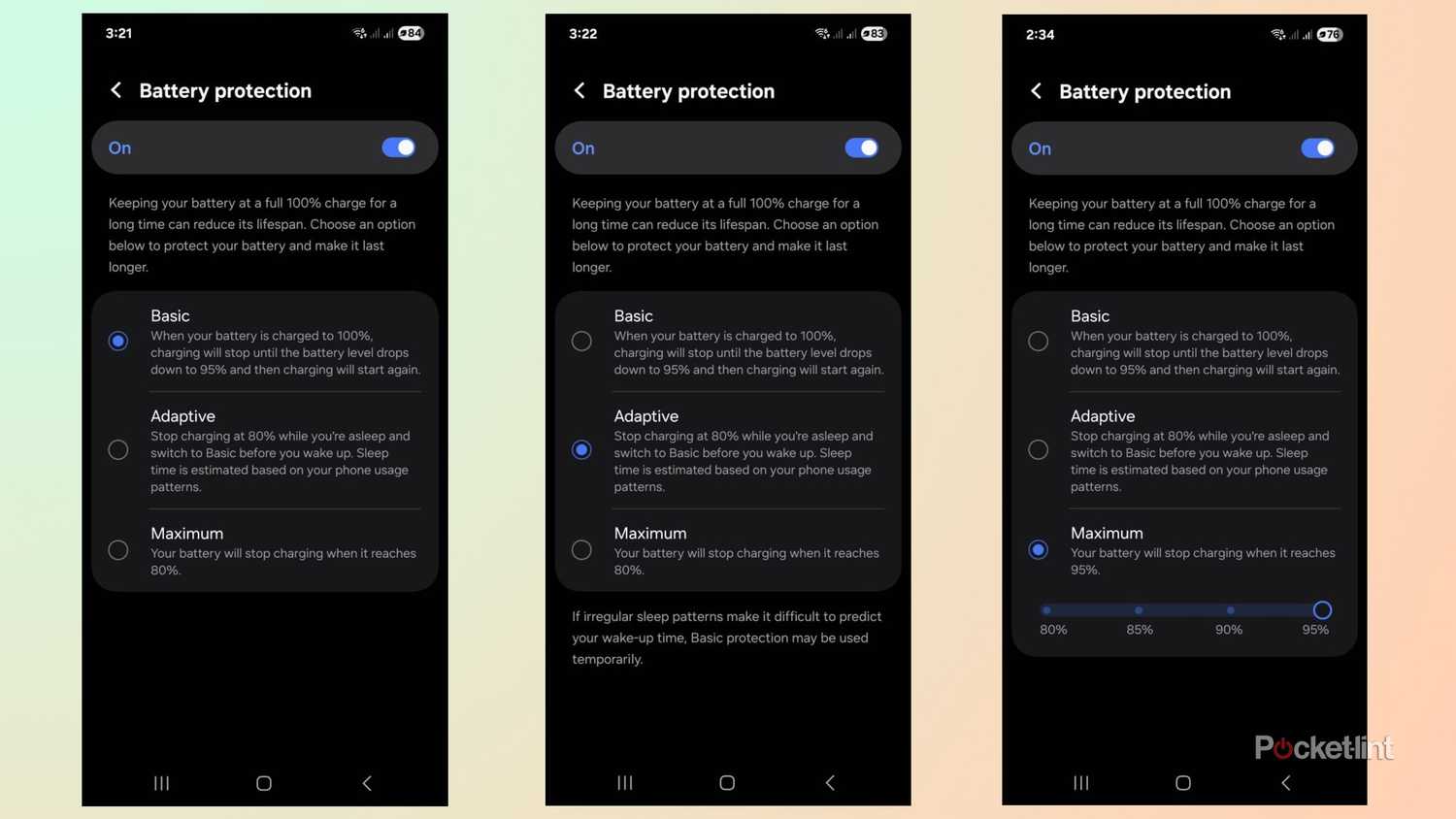
Setting it to Maximum keeps the charge at 95%, sacrificing a small portion of daily runtime for long-term battery longevity. Adaptive mode adjusts charging based on your sleep patterns, while Basic stops charging at 100% and resumes only at 95%.
3. Adjust Display Settings
The display is one of the biggest battery consumers. Using adaptive brightness and manually dimming the screen when needed helps conserve power.
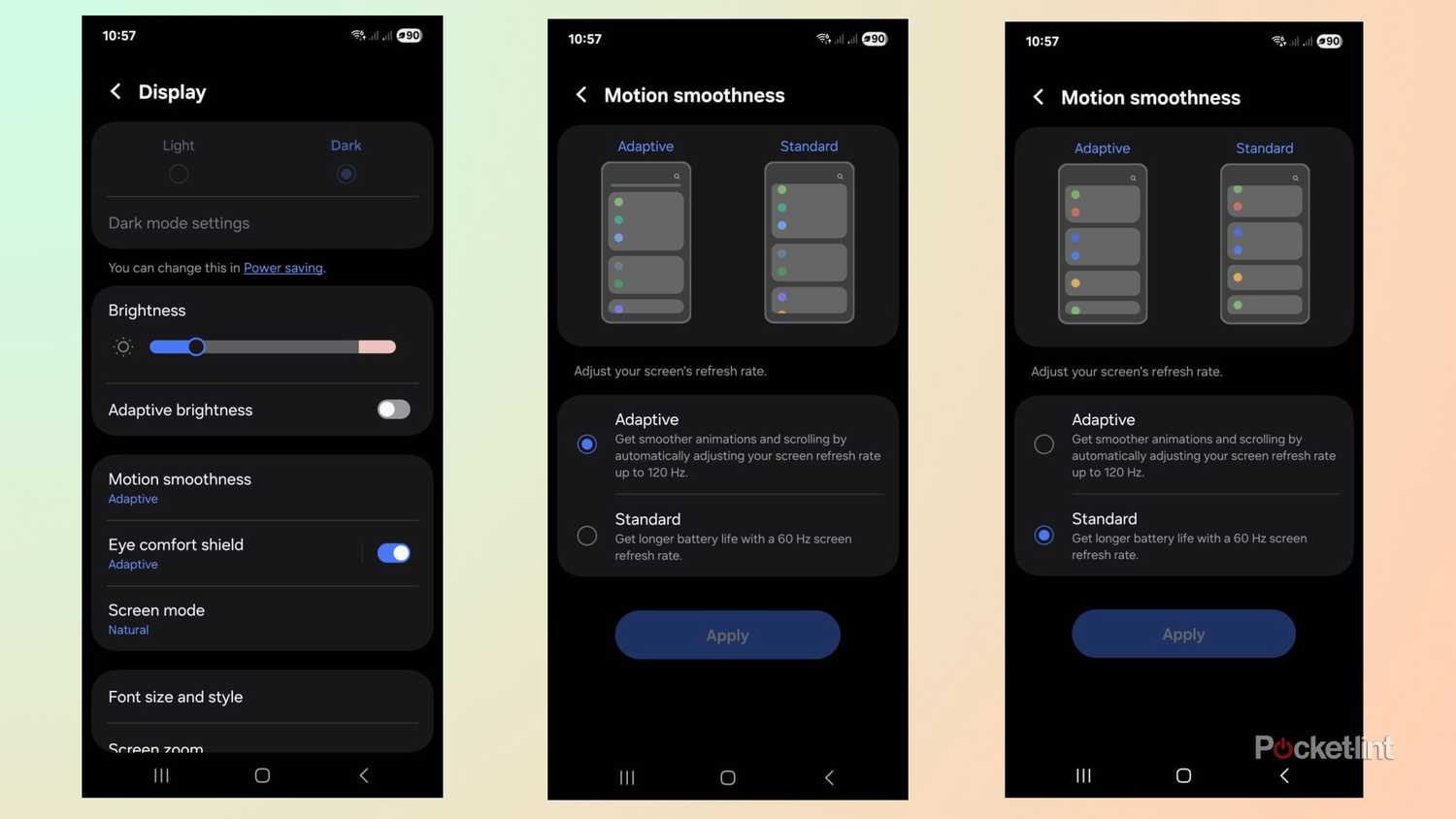
Reducing the refresh rate from 120Hz to 60Hz also saves battery while maintaining a decent visual experience. This small compromise can noticeably extend battery life during heavy usage or travel.
4. Limit Background App Usage
Checking the battery activity page allows you to identify apps consuming the most power. Placing rarely-used apps to sleep prevents them from running in the background.
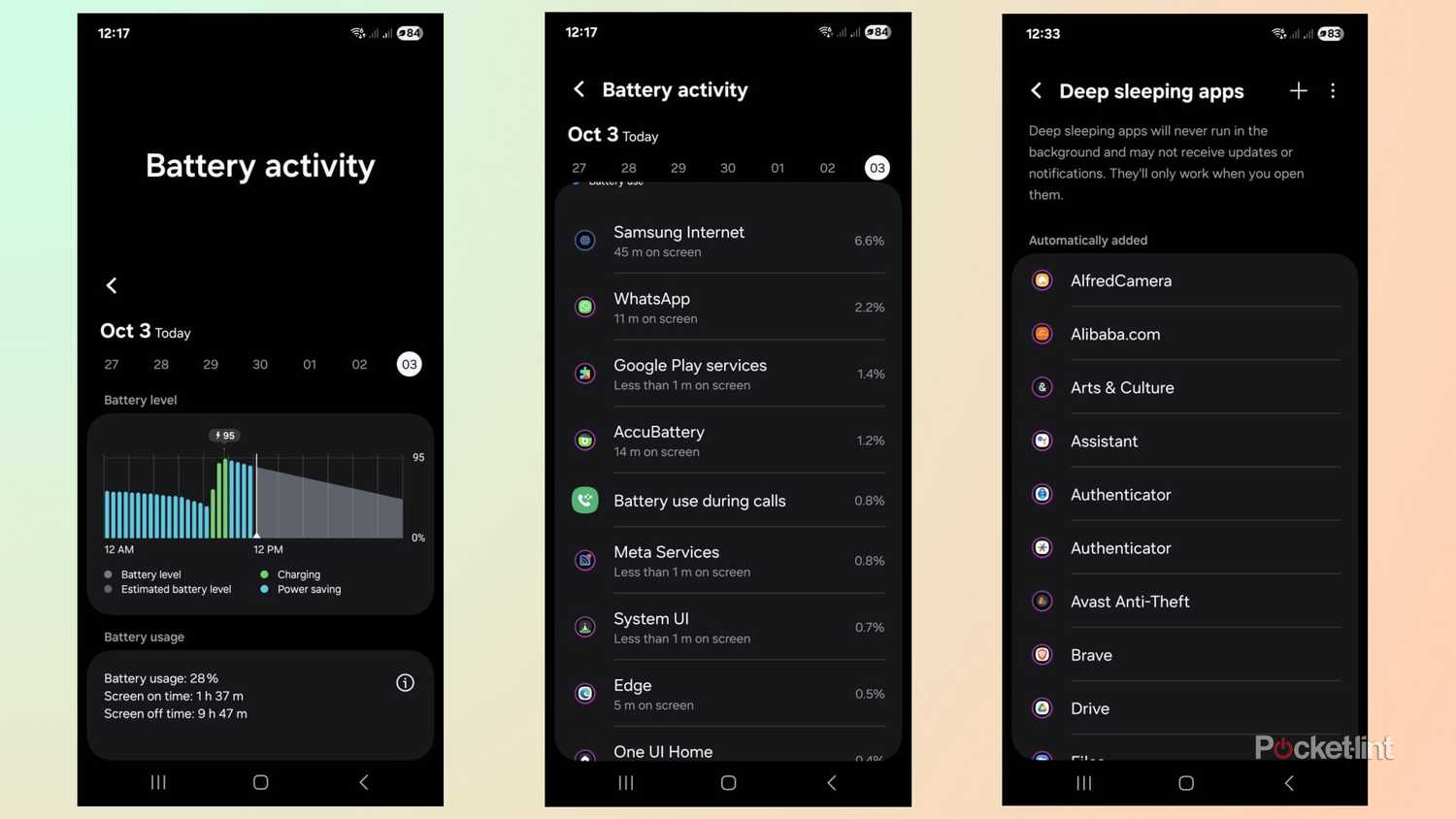
Samsung lets you categorize apps as sleeping, deep sleeping, or never auto-sleeping, offering control over background activity and reducing unnecessary battery drain.
5. Use AccuBattery App
Third-party apps like AccuBattery provide detailed insights into battery performance, charging cycles, and wear. The app tracks battery efficiency and displays daily, weekly, and monthly usage statistics.
It also shows discharging speeds and overall health, helping you make informed decisions about charging habits and prolonging battery lifespan.