
OpenAI has officially launched ChatGPT Atlas, a new AI-powered web browser for macOS users, marking the company’s most ambitious move yet into everyday software. Versions for Windows, iOS, and Android are already in the works and expected to roll out soon.
Unlike traditional browsers that serve as passive windows to the web, ChatGPT Atlas transforms browsing into an interactive, AI-driven experience. It allows users to summarize pages, fill forms, draft emails, and even perform multi-step online tasks — all without switching tabs or juggling extensions.

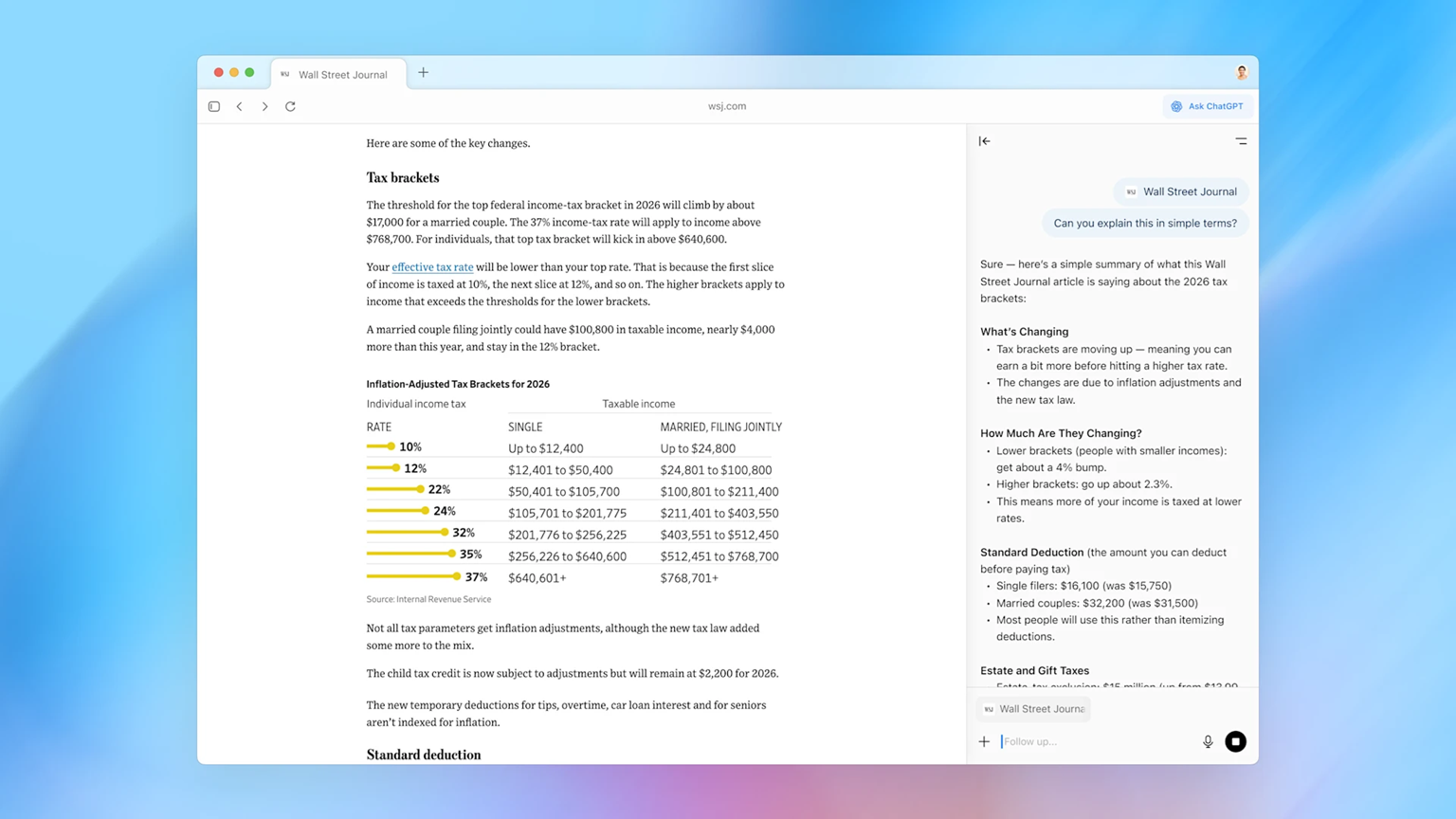
Atlas integrates ChatGPT’s assistant directly into your browsing window, displaying a real-time chat panel that remains visible (and can be toggled off anytime). OpenAI calls this fusion the “next evolution of human-AI interaction” — where the assistant doesn’t just wait for questions but actively helps users complete actions online.
1. A Browser built around ChatGPT
Atlas isn’t just a browser with a chatbot bolted on. OpenAI has built it entirely around ChatGPT’s core design and logic, blending AI conversation with navigation.
You can ask Atlas to summarize articles, find cheaper alternatives to products you’re viewing, or plan a trip — all while browsing. For instance, saying “Find a hotel like this one but with better reviews” prompts Atlas to automatically fetch comparisons without needing manual searches.
Sam Altman, OpenAI’s CEO, describes Atlas as a “living blueprint” for how AI should coexist with humans — not as a background tool, but as an active co-pilot online.
2. Memory and context awareness
Atlas introduces browser memory, an opt-in feature that lets ChatGPT remember details from your browsing activity — similar to how it recalls your chat history.
This means you won’t need to repeat yourself. It can recall the apartments you browsed last week, articles you compared, or projects you worked on, and use that context in future interactions.
Memories are private, visible, and fully controllable. Users can view, edit, or delete them anytime or simply toggle off memory for certain websites. Incognito browsing remains a standard option for those who prefer complete privacy.
3. Agent mode: Letting ChatGPT take action
The most revolutionary feature of Atlas is its Agent Mode, available in preview for ChatGPT Plus, Pro, and Business users.
Agent Mode allows the browser to perform complex, multi-step actions — like planning an event, comparing products, or assembling data into a presentation — all under the user’s supervision.
It can open tabs, extract key details, and even format results into slides, transforming browsing into a dynamic workflow. However, it won’t download files, install apps, or access your computer’s storage. For sensitive sites like online banking, it seeks explicit permission before taking any action.
While the feature is still experimental, it signals a major leap toward autonomous web navigation — positioning Atlas as more than just a tool, but a genuine assistant.
4. Built-in privacy and parental controls
Given Atlas’s deep integration of AI, OpenAI has prioritized transparency and safety. The browser includes a clear visibility toggle in the address bar, always letting you know when ChatGPT is active.
Users can manage how memories are stored, delete them easily, or disable them altogether. For families, Atlas extends ChatGPT’s parental supervision tools, allowing parents to disable memory or agent mode for child accounts.

This focus on privacy could become a major differentiator for Atlas as AI-powered browsers face growing scrutiny over data handling and online safety.
5. Competing in AI browser race
ChatGPT Atlas enters a crowded space of AI-enhanced browsers, competing with The Browser Company’s Dia, Opera Neon, and Perplexity’s Comet.
However, Atlas’s tight integration with ChatGPT — one of the most widely used AI assistants globally — could give it an edge. It allows users to start a conversation in ChatGPT, continue it in Atlas, and return later without losing context.
Where Chrome offers speed and simplicity, Atlas focuses on intelligence and interactivity. It can summarize dozens of tabs, fill out forms automatically, and organize research sessions — making it an appealing option for professionals, students, and everyday users who multitask across the web.
Atlas isn’t just OpenAI’s answer to Chrome — it’s a vision of the future of browsing. Instead of acting as a passive viewer, it actively participates in your workflow, linking actions, memories, and conversations into one continuous experience.
For many users, the idea of an AI navigating alongside them may take getting used to. But for those who constantly juggle tabs, manage projects, or research online, Atlas could redefine productivity — provided it maintains the right balance between helpfulness and privacy.